Making my XP-Pen dial control monitor brightness (and volume, on the same click)
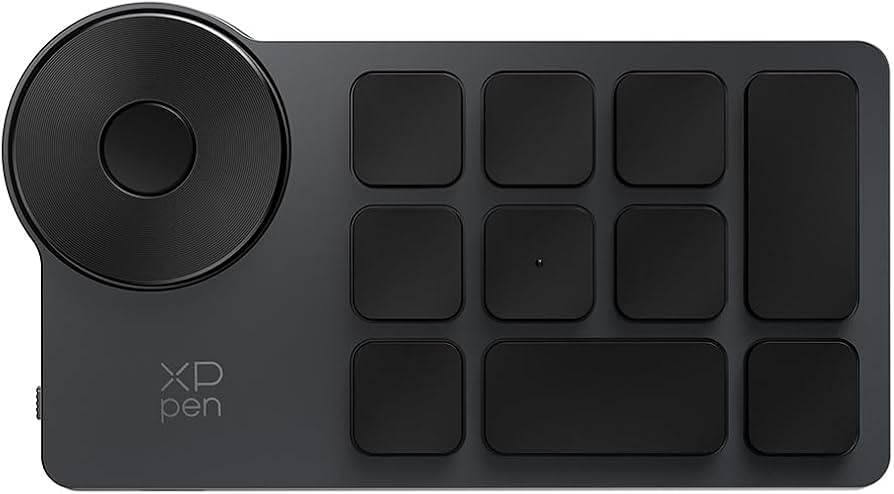
I run a three-monitor i3 setup (HDMI-1, DP-1, DP-3) with an XP-Pen shortcut remote whose rotary dial was, out of the box, wired to xpen_daemon.py to control system volume via pactl. I wanted the dial to control the brightness of whichever monitor currently has focus instead — and, since I still wanted volume control too, I wanted the dial’s middle button to toggle between the two modes.
Brightness per focused monitor
The daemon already tracks i3’s focused workspace, so getting the focused output is one query:
i3-msg -t get_workspaces | python3 -c "
import json, sys
ws = json.load(sys.stdin)
for w in ws:
    if w['focused']:
        print(w['output'])
"
For the external monitors, actual hardware brightness is controlled via DDC/CI over I2C using ddcutil. ddcutil detect maps xrandr output names (HDMI-1) to DRM connector names (card1-HDMI-A-1) and an I2C bus number, which I then feed to ddcutil setvcp 10 <value> --bus <n> (VCP feature 10 is monitor brightness). The laptop’s built-in panel doesn’t support DDC/CI at all — ddcutil correctly reports “Laptop displays do not support DDC/CI” for eDP-1 — so that one falls back to writing directly to /sys/class/backlight/intel_backlight/brightness.
DDC/CI is slow — cache everything
The first working version took 2.5+ seconds per button press, which is unusable for a rotary dial you’re spinning continuously. Profiling each ddcutil call individually:
| call | time |
|---|---|
ddcutil detect (bus lookup) |
~1.65s |
ddcutil getvcp (read current value) |
~0.67s |
ddcutil setvcp (write new value) |
~0.63s |
ddcutil detect — scanning every I2C bus for connected displays — was the single biggest cost, and it never changes at runtime. Fixes:
- Cache the output → I2C bus mapping in a state file after the first lookup, skipping
detectentirely on subsequent calls. - Cache the last-known brightness value per output too, skipping the
getvcpread. - Pass
--noverifytosetvcp(skip the read-back verification) and--sleep-multiplier 0.2(DDC/CI’s built-in inter-command sleeps are tuned for worst-case monitor compatibility, and can be safely shortened for well-behaved displays).
Net result: ~0.3s per press on the warm path — an ~9x speedup — with the ~2.2s cost only paid once per output per session, to seed the cache.
I considered switching to xrandr --output <name> --brightness <value> instead — a client-side gamma-ramp trick that’s instant since it never touches the monitor’s hardware at all. I ended up not needing it once the caching fix landed, but it’s worth knowing about: the tradeoff is it doesn’t actually reduce backlight power (no real dimming, just scales what the GPU renders, so blacks wash out at low values) and it has no monitor-side memory, so a rule-based fallback loses state on X server restarts.
The middle button that doesn’t exist (to evdev)
For mode-toggling, I wanted the dial’s center push-button to switch between “brightness” and “volume”. Naturally, evdev — which xpen_daemon.py already used for every other shortcut key — reported nothing when I pressed it. Not even an unmapped scan code; EV_SYN, EV_KEY, EV_REL, EV_ABS were all silent.
The device exposes itself as three separate USB HID interfaces (mouse, keyboard, digitizer), each with a corresponding /dev/hidraw* node. Reading those raw (os.read on the raw device, no evdev translation layer) revealed the button does send a report — it’s just a vendor-specific one the kernel’s HID parser doesn’t map to any known input event, so it never reaches evdev at all:
/dev/hidraw3 0600000000000000
Except — this exact byte pattern turned out to also fire as a trailing “settle” frame after every single rotation step (06 01 <step> followed immediately by 06 00 ...). My first attempt at button detection triggered on any 06 00... report and ended up toggling modes just from rotating the dial. The fix: track whether a 06 00... report immediately followed a 06 01... rotation report within a short window (150ms) — if so, it’s rotation settle noise and gets ignored; otherwise it’s a real button press. A press held down repeats the report continuously, so a session-gap debounce (350ms) collapses that into exactly one toggle per physical click regardless of hold duration.
Getting non-root access to /dev/hidraw* needed one more udev rule alongside the existing evdev one:
SUBSYSTEM=="hidraw", ATTRS{idVendor}=="28bd", ATTRS{idProduct}=="0202", MODE="0666", GROUP="users"
Notifications on the wrong monitor
Last wrinkle: dunstify notifications for both volume and brightness always popped up on monitor 0, regardless of which screen you were actually looking at. My first fix — dunst rules matching on a custom appname per output, setting monitor = N — did nothing, and grepping dunst’s own source confirmed why: monitor is a global-startup-only setting in this build, never read during rule application, despite looking like a valid per-rule field in the settings table.
The actual fix was simpler and already built in: dunst’s follow mode.
follow = keyboard
instead of follow = none with a hardcoded monitor = 0. follow = keyboard places every notification on whatever monitor currently has keyboard focus — which is exactly “the monitor the user is looking at” in an i3 setup, with zero per-app routing logic needed.
Here’s the actual layout, taken straight from xrandr --query (DP-1 is 3440×1440 at +0+0, HDMI-1 is 3440×1440 at +3440+0, DP-3 is 1920×1080 at +2488+1440), with a simulated notification cycling through whichever monitor currently “has focus”:
Result
- Dial rotation → brightness of the focused monitor (DDC/CI for external displays,
intel_backlightfor the laptop panel), ~0.3s response. - Middle button click → toggles dial mode between brightness and volume, with a notification confirming the switch.
- Notifications for both always appear on the currently focused monitor.